
by Debbie Burke
Let’s have a pop quiz to see if you can spot stealthy scam tricks.
Identify the differences in the following email addresses:
- SECURITYALERT@YOURBANK.com SECURITYALERT@Y0URBANK.com
- fraud-alert@your#1creditcard.com fraud-alert@your#lcreditcard.com
- securitywarning@shoppingsitewarning.com securitywarning@shoppingsitewaming.com
Answers:
- The capital “O” is replaced a zero (0).
- The numeral “1” is replaced with the lower-case letter “l”. In some fonts, these two characters appear identical. But notice the slightly different spacing.
- In the domain name “m” is substituted for “rn” because they appear similar in some fonts.
Have you heard of homographs?
According to Merriam-Webster, the traditional definition is:
Two or more words spelled alike but different in meaning or derivation or pronunciation (such as the bow of a ship, a bow and arrow).
However, scammers have added a twist to create “homograph attacks.”
Attorney Steve Weisman explains:
A homograph attack is a type of cyber attack where attackers exploit look alike characters, often from different alphabets to create misleading domain names, usernames, or URLs that appear legitimate but actually lead to malicious sites.
Fraudsters constantly find new tricks like using “confusable letters” as defined by util.unicode.org:
Confusable characters are those that may be confused with others (in some common UI fonts), such as the Latin letter “o” and the Greek letter omicron “ο”. Fonts make a difference: for example, the Hebrew character “ס” looks confusingly similar to “o” in some fonts (such as Arial Hebrew), but not in others.
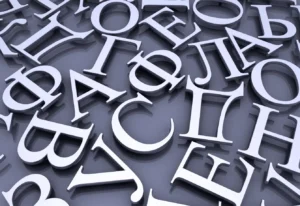
Cyrillic letters used in Russian and other Slavic languages are especially popular with fraudsters because the characters often appear identical to letters used in English. The human eye can’t see the difference but the program on your computer or phone that “reads” the character can.
That tiny substitution allows fraudsters to redirect unsuspecting victims to bogus domain addresses.
Check out more details and examples in these articles from Guardio.io and Bleepingcomputer.com.
Stealthy tricks like these can fool even the most careful, vigilant consumer.
Scammers frequently send emails that appear to come from your bank, credit card company, or a shopping site you buy from. They warn that your account has been compromised or they ask if a suspicious high-dollar charge is valid.
If you click on their links, they redirect you to their own fraudulent website. Those feature logos and graphics that look exactly like those of the authentic websites. But those sites are clones created by scammers.
Texts can also appear to originate from the actual phone numbers of businesses or government agencies, but the numbers have been spoofed. If you call that number back, the call goes to the scammer.
Because the sender’s address or phone number appears totally legitimate, you might be tempted to click.
Don’t.
If you go there, they may download malware to your computer. Alternatively, they may pump you for personal information, asking you to verify your identity with your date of birth, Social Security number, etc.
Yup, that verifies your identity, all right—enough to allow them to steal it.
Impersonation and homograph attacks have recently become so prevalent, many government agencies and businesses now post warnings headlined at the top of their real websites.
In a truly ironic twist in September, 2025, three bold scammers impersonated the FBI’s Internet Crime Complaint Center (IC3), the very agency whose function is to catch cybercriminals.
When you receive emails or texts with links, do not click. Close the message. To determine if the contact is legitimate, call the number on your credit card or billing statement.
Visit the website address shown on your billing statement. Don’t automatically assume the first website that appears in an online search is legitimate. Manipulation of logarithms can move misleading sites higher on search pages.
If you click a link in error, immediately contact the real entity to report the incident so they can flag or freeze your account. If fraud takes place, additionally contact local law enforcement and IC3.
Thanks as always to Steve Weisman and his watchdog site Scamicide for alerting people to new twists.
What a world. Sigh…
~~~
TKZers: Have you experienced homograph attacks by email or text? Do you know of additional stealthy misleading tricks? Please share in the comments.
~~~
Looking for a binge bundle for a bargain? Try the three-book gift set of Tawny Lindholm Thrillers for only $5.99.
These scammers need to get a life and find something else to do with their time. How annoying!
Brenda, unfortunately scammers are making $$$ and are unlikely to stop. It’s awful to have to be suspicious of every email or text.
Hope you have a great, scamless day.
I am the IT Security guy. You have some excellent sources here. Another common scam is using an Eszett. It is a German character that looks like a B. ß
Also, some email clients are “helpful” and will show you the person’s name, not their email address. If it looks funny, hover over the sender’s name. You will see their true name. “Microsoft Security” might be seda34345@sommm.co.jp.
Learn to read domain names. My example above ends in .jp. That is the code for Japan. If it isn’t com, org, net, gov, do a Google. Two letters are county codes.
Who is it from? Do you have a Chase Bank account? Then that is probably a scam.
Alan, always glad when you share your expertise! I’ve seen the German “B” but didn’t know what it was called. Thanks also for the tip about country codes.
One of my email programs changed their format so it’s no long enough to hover. You have to click on details to see the full address. Really annoying.
Good advice, Debbie. Never click. Go to the real site and verify on your own. Also, many of these institutions have emails such as “Spam@institution” or similar addresses where you can forward the scam email.
Now, if there were only some easy way to get all of the marketing scammers who want to feature your book … or connect with you. I doubt James Patterson really wants to talk writing with me.
LOL Terry! James may be too busy to talk to you because he’s busy trying to talk to me…and six million other writers out there.
I’m like Brenda–why don’t they just get a job?? You know what? It takes a smart person to create these scams. What if they redirected all that brainpower into something legitimate.
And if you’re one of those people who never check what’s been filed against your medical insurance, please do! Somehow a scammer got my insurance information and charged over $10,000 for diabetic supplies. If I didn’t always check mine, they would’ve gotten away with it.
Pat, medical scams are terrible. Glad you caught that expensive error.
The local hospital corp (that additionally owns most doctors’ practices in our area) gets hacked regularly. So do medical insurance companies. Our so-called confidential medical records float around the dark web just waiting to be used to reap big profits and raise already-high costs for all of us. .
Several times on my phone in the last few weeks. They used Cyrilic (Russian) characters.
Cyrillic characters are esp. sneaky, Michelle. Glad you picked up on that.
I couldn’t find my Social Security card, so went through an onerous process of getting an appointment at my local office to replace it. (Hint: If you know your SS number, you may never need the card.) My husband found it and I went online to SSA.gov to cancel the appointment. The person I reached, who had barely a passing acquaintance with English, began asking for a lot of information, including my parents’ names at birth. I asked why they needed that just to cancel an appointment. She said they had to make sure I was who I said I was because someone might be impersonating me to cancel. I disconnected the call. I also am not going to the appointment. I don’t trust anyone anymore.
A similar thing happened to me several years ago, Becky. I renewed my driver’s license online at the site listed on the letter. Never received it. When I contacted the Registry of Motor Vehicles, the lady told me they’d been hacked (trojan horse, most likely). I’d already paid $55. for the license. Didn’t matter to them. I had to pay again for my license. Thankfully, I’d used a loadable credit card (which I often use online) with only enough on it to cover the renewal.
Sue, a loadable credit card is a great idea to limit potential losses. Thanks for bringing that up.
Becky, that’s one crazy story. Glad you found your card.
Impersonators impersonating the impersonators impersonating the impersonators…Does it ever end?
What a world is right, Debbie. Whenever I get a text or email from my alleged bank, I head straight to online banking, where they post notices of phishing scams. If the bank hasn’t sent me a message through online banking, I ignore it. Many look so real these days, but a quick google search often exposes the scam. Simply search for the headline of the email or text. Nine times out of ten, someone listed it. Always, always, always block and report phishing.
Banking impersonators are scary, aren’t they, Sue? They can suck you dry in a blink.
Since we don’t bank online, when I receive such texts and emails, I know they’re fraudulent. Unfortunately when I’ve alerted one bank, they just shrug and say, “Oh yeah, another one.” That attitude doesn’t reassure me that they’re security conscious.