When I sat down at my desk a few days ago, the room suddenly turned dark, and there was a loud buzzing sound. I realized I had entered a wormhole, and I was being transported back in time to a day several years ago.
* * *
I was running on a dirt trail in a park near my home and I was listening to an audiobook on my iPod Shuffle. The book was one of the Rabbi Small mysteries by Harry Kemelman, and I was enjoying the story. As I jogged by a fence and around a turn, a thought lit a fire in my brain. I could write a mystery as good as the one I was listening to! It would be fun to write a novel just to see what it would be like. I finished my run, returned home, showered and dressed. Then I sat down in a recliner in our living room with my computer on my lap and began to type.
* * *
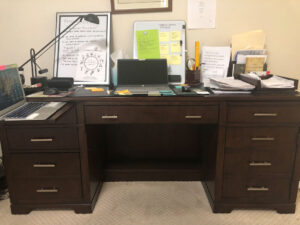
The wormhole suddenly closed, and I was back at my desk, a relatively new, six-foot-long testimony to my dedication to this writing journey. Desk-reorg day is later in the week, so the desk is messy, piled with papers and post-it notes – reminders of upcoming events and to-dos I shouldn’t ignore.
Two whiteboards sit on the back of the desk, leaning against the wall with lists of books to read and others I’ve read and need to review. A map of the Hero’s Journey is magnetically tacked to one of the whiteboards along with a few inspirational sayings. Reminders to Make Haste Slowly, Be Intentional, Make It Count.
My writing calendar is just inside the middle drawer of the desk. A glance at the page tells me about my obligations this month for blog posts, book promotions, meetings, and everything else that’s writing-related.
The Windows 10 laptop in front of me on the desk houses dozens of directories containing information from branding to short stories, from newsletters to marketing graphs. This is where I handle email, write articles, post to social media, create jpgs and pngs to market books and share thoughts on writing.
A second laptop, a Mac, sits on the desk’s pullout shelf to my left. It’s owned by the publishing company my husband and I formed in order to publish our own works. I use it to format and publish the final copies.
A third laptop, another Mac, stays on the bar in the kitchen where I can glance over an occasional news story while I eat breakfast. Scrivener lives on that Mac, and it accompanies me to my office recliner, along with a glass of sparkling water when I sit down to spend serious time on my WIP.
A list of writing goals is taped to the back of my office door so I see it every time I close the door to begin work.
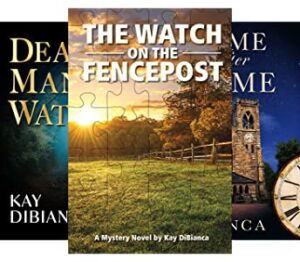
Bookshelves against the wall next to my recliner are filled with books on the craft of writing, constant reminders of how much I still have to learn. The bottom shelf contains copies of my three published novels as well as my husband’s recently published debut novel. Three-ring binders contain pages of notes on each of my books as well as several works-in-progress.
Other bookshelves in my office and throughout the house contain favorite tomes. (I really should spend some time reorganizing so I don’t have to go on safari just to find what I’m looking for.)
* * *
How did I get here? I was going to write just one novel. It was going to be fun, an act of exploration, like climbing a mountain. Do it once for the experience.
But then I discovered the craft and the joy of writing.
So TKZers: When did you decide to write that first novel? How did you get to the present moment? Were you surprised by the journey? Are you going to stay the course?













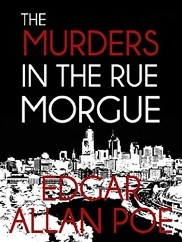 Edgar Allen Poe’s short story The Murders in the Rue Morgue (1841) is generally considered to be the first modern murder mystery, and its detective, Auguste C. Dupin, the first fictional detective. There was no monkey business in Dupin’s analysis of the horrific crime and identification of the murderer.
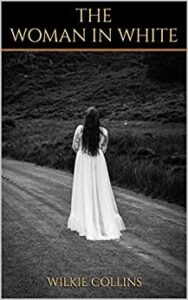 Wilkie Collins was a contemporary of Charles Dickens and is credited with the first novel-length mystery, The Woman in White (1859). The book doesn’t just stop at murder – it also touches on insanity, social stratification, false identity, and a few other themes. Collins considered the book his best work and instructed that the phrase “Author of The Woman in White” be inscribed on his tombstone. He also lays claim to the first detective novel, The Moonstone (1868).
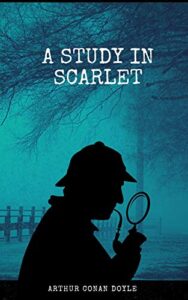 Arthur Conan Doyle published A Study in Scarlet, the first story featuring Sherlock Holmes and Dr. Watson, in 1887. In total, Doyle wrote 56 short stories and four novels featuring the famous detective. When he killed off Sherlock Holmes in The Final Problem (1893), the public outcry was so severe, Doyle had to bring him back in later works.
 Maurice Leblanc began a mystery series in 1905 featuring the gentleman thief Arsene Lupin, a character who’s been described as a French version of Sherlock Holmes. In all, Leblanc wrote 17 novels and 39 novellas with Lupin as hero. Check out
 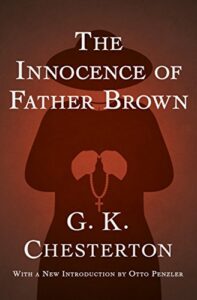 G.K. Chesterton is credited with creating the cozy mystery genre with a series of 53 short stories begun in 1910 featuring the Roman Catholic priest and amateur detective, Father Brown, who uses his intuitive understanding of human nature to solve crimes. The character was so popular, it inspired the Father Brown TV series that began in 2013.
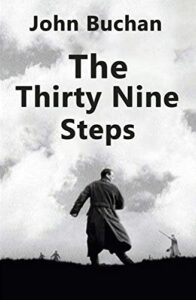 The Thirty-nine Steps (1915) by Scottish author John Buchan was the first of five novels featuring Richard Hannay. a man on the run who had been unjustly accused of murder. There are a couple of movie versions of The Thirty-nine Steps, but my favorite is the 1935 Hitchcock film starring Robert Donat.
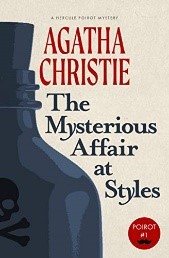 Cozy mysteries became very popular in the 1920’s and 30’s with several great British authors. Agatha Christie’s first novel The Mysterious Affair at Styles (1920), featured Hercule Poirot, a sleuth who used his “little gray cells” to solve mysteries. Poirot showed up in 33 novels and over 50 short stories. (I will have much more to say about Dame Agatha in a future post.)
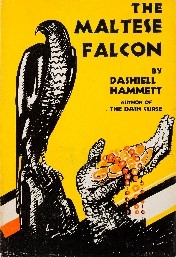 Hardboiled detective fiction became popular in the 1920’s and extended through the 20th century. Dashiel Hammett became famous for his character Sam Spade in The Maltese Falcon (1929). He also created the sophisticated couple Nick and Nora Charles in The Thin Man (1933). Strangely, Hammett wrote his final novel more than 25 years before his death. Why he stopped writing fiction is something of a mystery in itself.
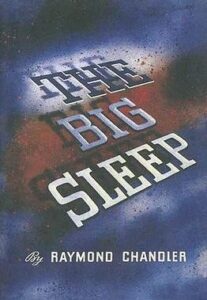 Raymond Chandler was forty-four years old when he began his journey as an author. His first novel, The Big Sleep (1939), introduced the world to private detective Philip Marlowe. In addition to his short stories, Chandler wrote seven novels, all with Marlowe as the hero. His prose is widely admired and his use of similes is famous. Here’s an example from The Big Sleep: “The General spoke again, slowly, using his strength as carefully as an out-of-work showgirl uses her last good pair of stockings.”